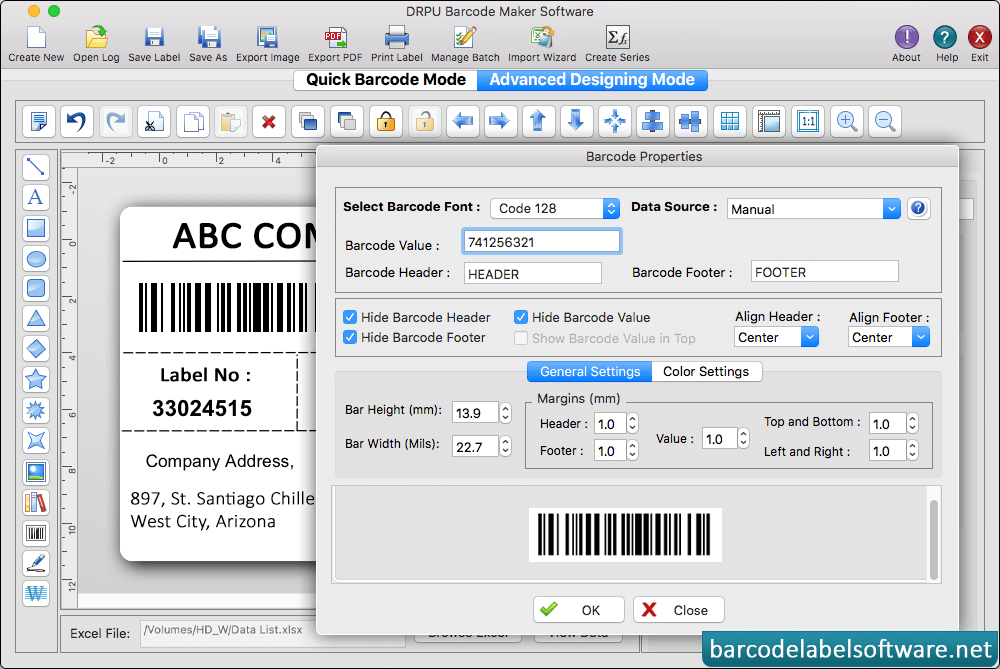
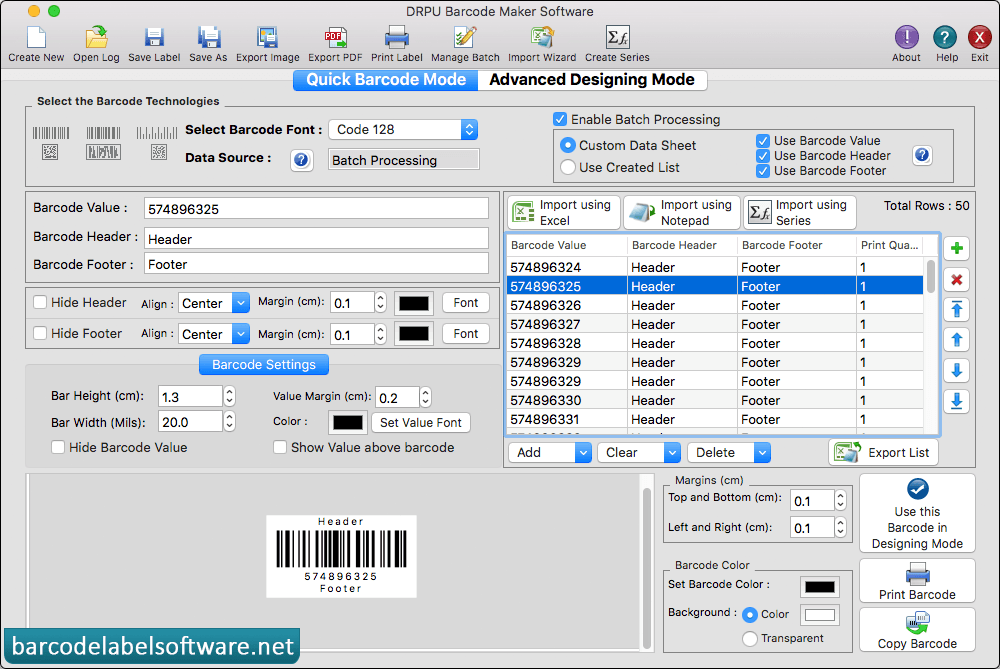
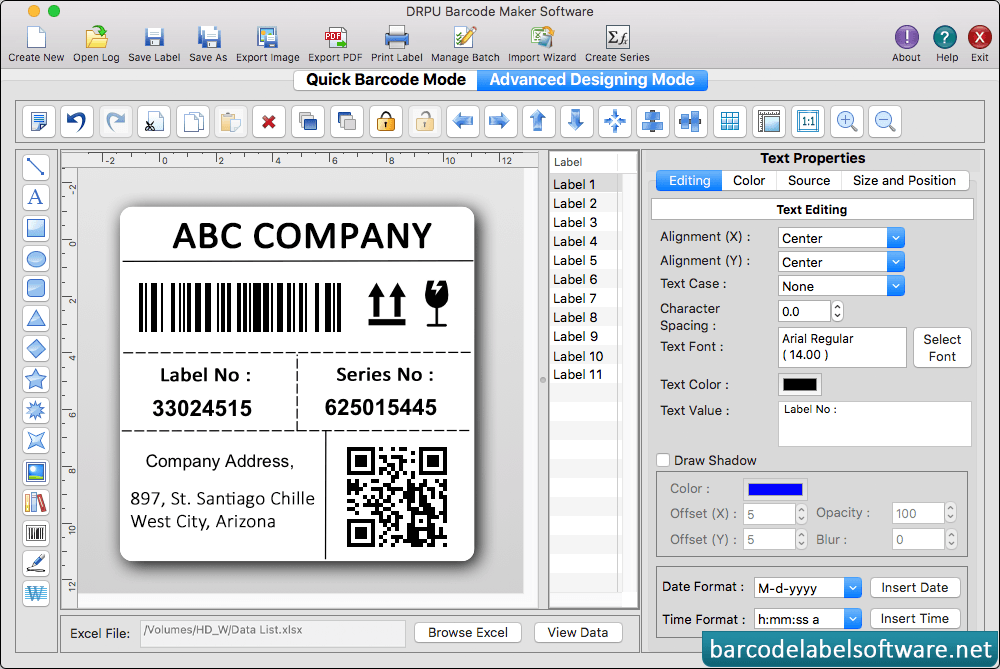
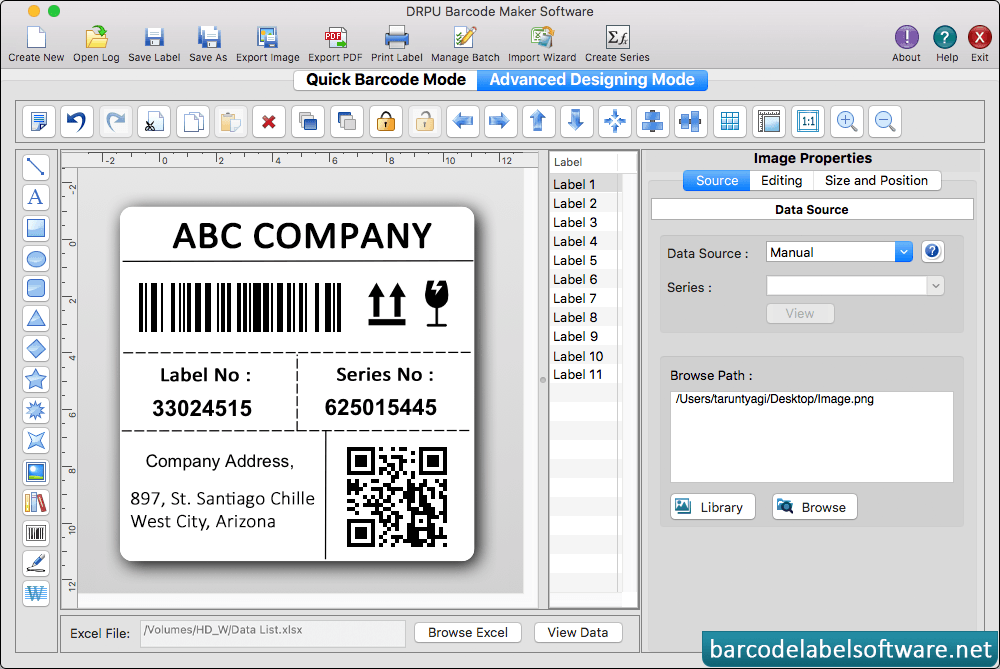
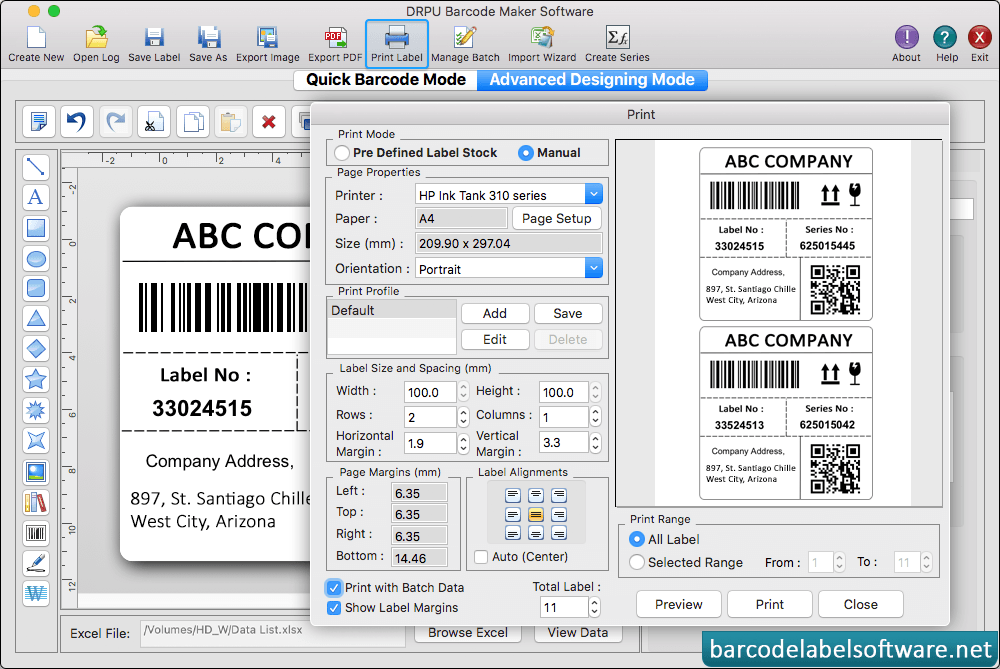
Select Barcode Font, enter Barcode Value and set other 'Barcode Properties' using General Settings, Font Settings and Color Settings. Using Font Settings, you can select the font of header, footer and barcode value. Using text Settings, you can change the text color, Alignments, Text Font, Text Value, Date and Time Formate. Using image properties you can set image source, edit image, Size and position. Enter all required printing details and click on 'Print' button. You can see the print preview of barcode labels by clicking on 'Preview' button.